
Apple finds respectable performance gains on a new 2nm process, but M5 users shouldn’t feel any FOMO.
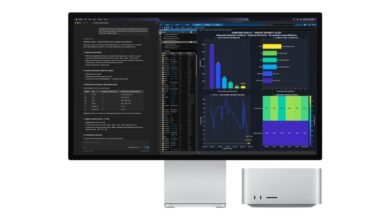
Apple today announced its new M6 processor, launching first on the popular Mac Mini. It’s been clear for several years that Apple pulled off a rare coup when it switched away from Intel to its own, ARM-based silicon, so the real question has been the degree to which those initial efficiency gains would diminish generation-over-generation. How does the new M6 stack up against its predecessor, the M5?
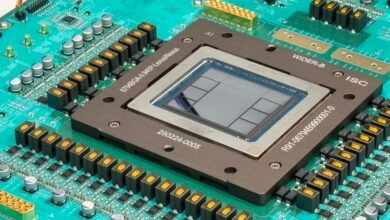
With the base M6, Apple is finally shipping a chip built on a 2nm process, a leap forward Mac users have been crossing their fingers for. The new chip also gets a bump from 10 to 12 CPU cores (two super cores, four performance cores and six efficiency cores), and similarly receives a 12-core GPU alongside a dual 16-core NPU. The company is claiming that the M6 has “the world’s fastest CPU core” and boasts faster memory bandwidth, an accelerated GPU and up to 170GB/s of unified memory bandwidth. Even so, Cupertino is clear that the M6 is intended for everyday use cases like school, work and hobbyist AI.
Compared to the last-generation M5 SoC, the M6 is a reasonable on-paper upgrade, with Apple asserting a one-fifth increase in performance for multithreaded tasks, and an even bigger uplift in GPU-bound performance for AI tasks. We’ll need thorough, hands-on testing to confirm those claims, so stay tuned. It will also have a base configuration of 16GB on the refreshed Mac Mini, or up to 32GB, though you’ll pay for the privilege with Apple finally passing along to consumers the costs of the RAM crisis driven by AI demand. Here’s how the refreshed M6 silicon shakes out compared to the M5.
At long last, the M6 has tinier transistors!
The biggest change the M6 brings compared to its predecessors is the shift to a 2nm process. The M3, M4 and M5 were defined by TSMC’s 3nm manufacture, and much of the new generation’s uplift can likely be attributed to the move forward to 2nm.
Apple claims the M6 has 20 percent more multithreaded performance compared to the M5, a claim we’ll need to test out, though the company is usually accurate with its launch benchmarks. When it comes to single-threaded tasks, the comparisons are much more vague, with Apple claiming “the world’s fastest single-threaded performance.” We’ll need hands-on testing to see what that really means.
Apple has boosted AI performance by a claimed 30 percent compared to the M5 on the back of a new “Dual 16-core Neural Engine” and a 12-core GPU. Each of those GPU cores contains a Neural Accelerator, and the focus on these upgrades underscores the success Apple has found in positioning the Mac Mini as an AI machine. The unified design of M-series silicon has proven an efficient and cost-effective way to run local models, and you can run a cluster of them for even more power, leading to increased demand until Apple axed the cheapest Mac Mini model in May 2026. Despite the increased power on the M6, you’ll be paying a higher cost relative to that performance.
A 10 percent increase in memory bandwidth over the M5 up to 170GB/s with a base RAM configuration of 16GB (configurable up to 32GB) are welcome upgrades for video editors and gamers, especially in tandem with the GPU improvements.
Should M5 owners upgrade to the M6 Mac Mini?
If you’re currently using a Mac computer with an M5, you may be wondering whether the M6 gives you a reason to upgrade. For the vast majority of users, the answer is absolutely not. While Apple has eked out some reasonable gains compared to last generation, largely thanks to the move from a 3nm to a 2nm process, it’s not enough to compel an upgrade from the M5, which remains an extremely capable system.
Even if you’re using an M4, it’s hard to think of a reason why you should buy an entirely new computer. The increased horsepower is unlikely to be noticeable in day-to-day use, and even in demanding tasks the difference won’t be night and day. Apple claims the M6 is a 40% CPU uplift over the M4, with four times the speed for AI tasks, but that could still be a matter of seconds. If you’re the sort of M4 user who finds yourself bottlenecked, you might be better served by upgrading to the new M5 Pro Mac Mini or even the refreshed Mac Studio.
If you’re a creative or tech professional using an M2 or M3, especially if it’s saddled with 8GB of RAM, an upgrade path to the M5 begins to look a lot more compelling. While those systems still remain quite useful for students and office workers, they’re beginning to show their age for GPU-bound tasks like video editing, gaming and AI work.
Source: www.engadget.com